Go to app
User Name
Upgrade Help Center

Live chat for small business

Help shoppers choose with confidence. Answer questions while they browse, save time on repeat replies, and keep the conversation going when you step away.

Free 14-day trial No credit card required

More than 35,000 companies rely on LiveChat for sales and support

Is LiveChat right for your small business?

Answer product questions before a shopper leaves. LiveChat gives your team saved replies, AI assistance, and a shared inbox to keep customers moving toward a purchase.

Start solo or bring your team

Starter costs $19/month for one user, billed annually. Team starts at $49 per agent/month, billed annually. Try LiveChat free for 14 days before choosing.

Keep a person within reach

Let customers talk directly to your team while they browse. Help them choose a product or sort out an order in the same conversation. After hours, LiveChat’s simple built-in chatbot takes over routine questions and collects details for your team.

Keep the tools you already use

Connect LiveChat to your CRM, store, or email tools through 200+ integrations. Salesforce and HubSpot connections give agents customer context.

Live chat features for small teams

When answering a delivery question is also your job, repeated tasks take time. Use AI features to prepare replies and catch up on customer conversations.

Canned responses interface showing saved message templates for Small business LiveChat

Save replies to common questions

Canned responses save time by turning answers to frequently asked questions into reusable templates. Save a shipping or returns reply, then adapt it to the customer. Message sneak peek lets you prepare while a visitor types.

AI-powered reply suggestions feature generating customer support responses in Small business

Get an answer ready to review

Reply suggestions draft answers from your knowledge base or product information for an agent to review before sending. Your team spends less time writing from scratch and more time helping the customer. Available on Team and higher plans.

Handle routine questions after hours

Let LiveChat’s simple built-in chatbot handle routine questions and collect lead details when your team is away. Included in every plan, it keeps conversations moving after hours and gives your team the details they need to follow up.

AI chatbot providing automated responses to customer inquiries on Small business website
AI text enhancement tool adjusting message tone and style in LiveChat for Small business

Edit a reply before sending

Text enhancement helps agents rephrase or correct a draft. Use it when a message sounds abrupt or an explanation is hard to follow.

AI-generated conversation summary showing key points from customer chat in Small business LiveChat

Catch up before a handoff

Chat summaries give agents a quick overview of a conversation so they can pick up where a colleague left off. Available on Business and Enterprise.

Try LiveChat with your team

Free 14-day trial No credit card required

Give every customer a helpful answer

A hotel guest asks about an earlier pickup and receives help in LiveChat.

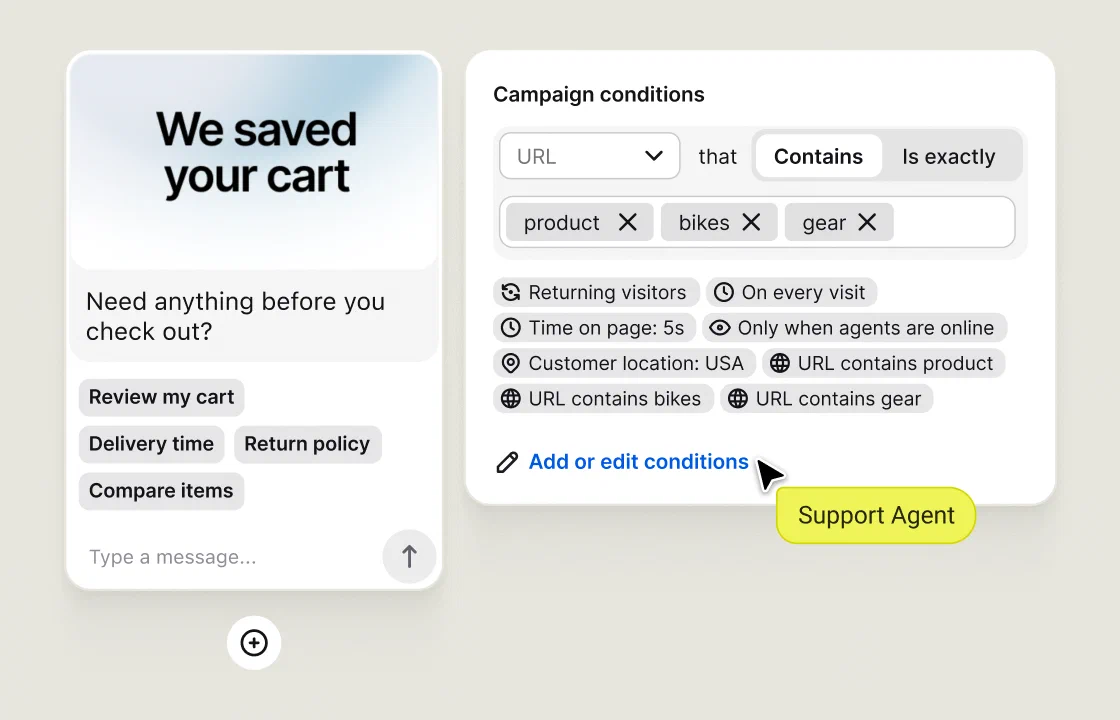
Offer help on the right page

Use visitor tracking and proactive chat invitations where website visitors often get stuck, such as delivery or sizing pages. Send a greeting based on browsing behavior. A timely answer can resolve the concern behind an abandoned cart.

Make after-hours support clear

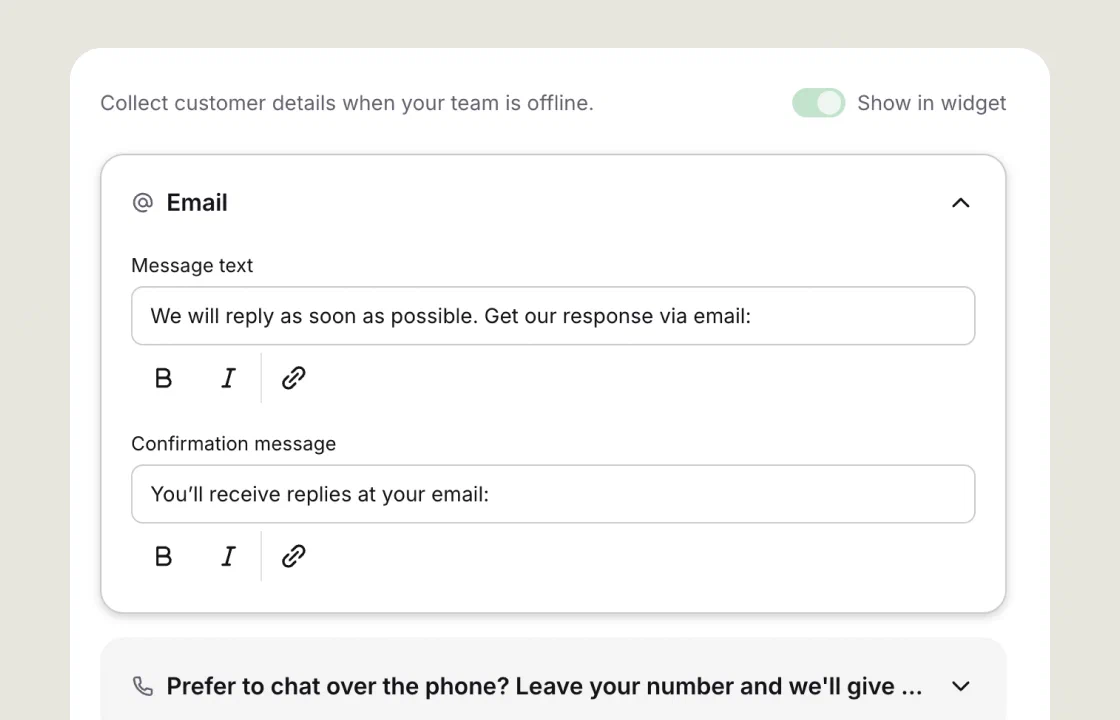
Set widget availability to Always so visitors can leave a message when you are away. Pick it up from Unassigned chats when you return, and tell customers when to expect your reply.

LiveChat agent workspace with conversations and customer details side by side.

Work from a shared inbox

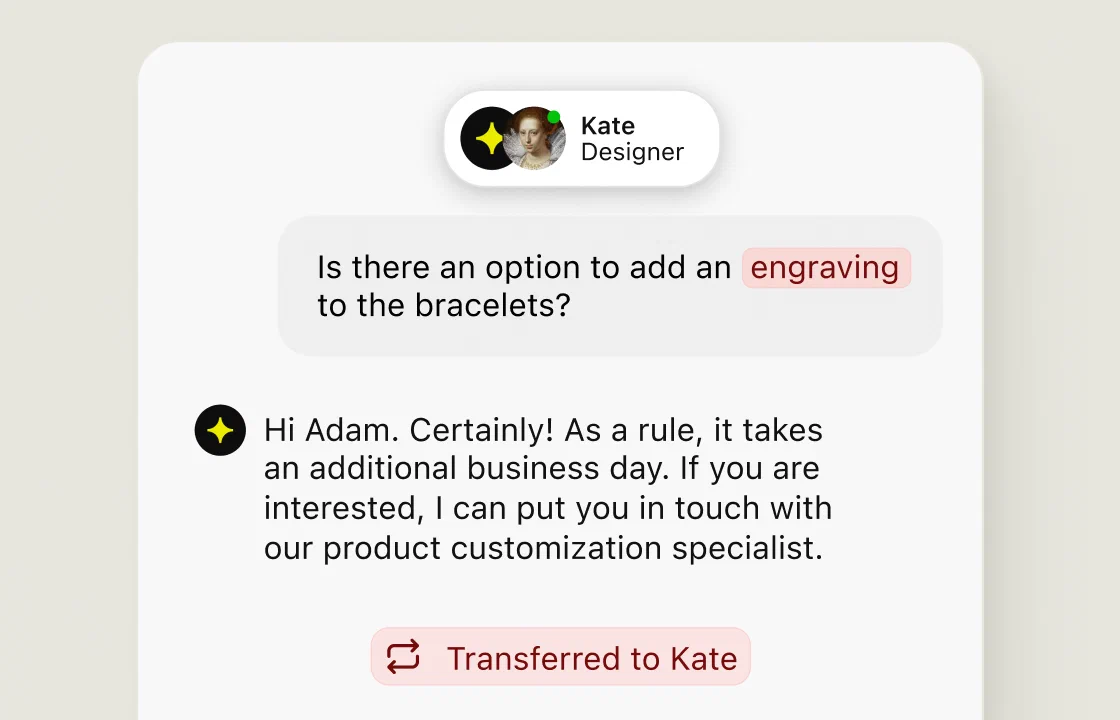
A shared inbox gives your support team the same conversation history. Use chat routing and transfers to reach the colleague who can help. Set a fallback group for requests that do not match a rule, and a concurrent chat limit your agents can manage.

Connect customer information

Connect your CRM so agents can see customer data for personalized support while they chat. Give each teammate their own account with appropriate permissions.

Bring your team. Grow your sales.

Give everyone a place in the conversation. Choose Team and add the people who help your customers buy.

Compare LiveChat plans

Starter

$19
per user/month

Billed annually
For one user

Or $25 per user/month, billed monthly.

Team

$49
per agent/month

Billed annually
Add seats as you grow

Or $59 per agent/month, billed monthly.

Tony Palazzo testimonial

Inbound leads up by 150%, Inbound sales up by 30-40%

Logical Position

"Our expectations were for live chat to help increase our leads by a little and had no idea that would revolutionize the way we capture leads."

Tony Palazzo, VP of Marketing at Logical Position

Try LiveChat on your website

Answer your first customer question today. Try LiveChat free for 14 days.

Free 14-day trial No credit card required

Connect your live chat software

LiveChat connects with 200+ tools, including CRMs, ecommerce platforms, and messaging channels. Use a website integration to install the widget, connect your customer records, and send follow-up work to the right app.

Frequently Asked Questions

Frequently Asked Questions

The best live chat software for your small business fits your budget, website, and available staff. Choose LiveChat for website sales and human support with saved replies, AI assistance, and CRM integrations. If a free plan is essential, compare tawk.to or ProProfs Chat. If most of your requests arrive by email and need several days of follow-up, compare help desks with ticket management too.

Start with the customer support needs you have today. List common questions, your business hours, and the communication channels in your support stack. Then test those tasks with the people who will answer chats. Check mobile notifications, chat history, routing, and integration capabilities. Test basic features with real customer interactions. The right live chat software should fit the work your team actually does.

Read recent user feedback on software review sites such as G2 and Capterra, focusing on businesses with similar needs. Ask what the total bill will be with another agent or more AI conversations. The best live chat apps make essential features easy to find. A long list of advanced features matters less than a user interface your staff can use confidently.

Compare the base subscription, seats, free option, and AI costs together. The table below compares six live chat platforms by price and use case. LiveAgent starts at $19 per agent/month when paid monthly. Zendesk Suite Team includes live chat at $69 per user/month on monthly billing. Fit and setup notes are our assessment of published capabilities, not a hands-on ranking.

Published USD offers checked September 9, 2026. Annual rates require annual billing. Follow each source for current terms.
Live chat toolStarting price and seatsFree optionAI or chatbot costsConsider it forSetup to plan for
LiveChatStarter: $19/month annually, 1 user. Team: $49/person/month annually.14-day trial; no free plan.Agent AI varies by plan; separate chatbot subscriptions may apply.Website sales and support with agent tools.Widget or platform integration; add staff and routing.
tawk.to$0 for live chat; unlimited agents.Free live chat software.Check automation allowances and optional service costs.Small businesses prioritizing a free shared inbox.Install widget, invite agents, configure availability.
ProProfs Chat$0 for 1 operator; paid plans for team needs.Forever free single-operator plan; 15-day trial.AI conversation allowances vary by plan.A solo operator starting with a simple chat solution.Widget, canned replies, offline settings.
LiveAgentSmall: $15/agent/month annually or $19 monthly.30-day trial.FlowHunt credits fund AI usage separately.Support teams combining chat with ticket management.Chat widget and email setup; connect an AI provider if needed.
IntercomEssential: $29/seat/month annually or $39 monthly.14-day trial.Fin from $0.99 per outcome; other usage charges may apply.Teams seeking a customer messaging platform with an AI agent.Messenger, knowledge sources, and handoff rules.
ZendeskSuite Team with live chat: $55/agent/month annually or $69 monthly.14-day trial.AI agent usage is billed by automated resolutions; allowances apply.Teams needing chat, email, and phone support together.Widget, support channels, help center, and routing.

A free plan can be enough for basic chat. Check retained history, chat limits, and paid extras before assuming it covers your workflow. See tawk.to’s agent policy, its automation options, and Intercom’s billing FAQ.

Zendesk’s lower-priced Support Team plan focuses on email and ticketing; Suite Team includes live chat. Its USD rate table distinguishes annual and monthly prices. If an older shortlist includes Drift, Salesloft says it has transitioned from Drift to 1mind. Compare the current offer.

LiveChat’s simple built-in chatbot is included in every plan. It handles routine questions and collects customer details while your team is away.

Set widget availability to Always so visitors can leave a message when your team is offline. Agents pick it up from Unassigned chats when they return. Ask for an email address so customers can receive reply notifications after verifying it.

Tell visitors when to expect a reply. For example: “We’re back at 9am Eastern on Monday and will reply by noon.” Choose a deadline your team can keep.

If you use a ticket form instead, configure and test its destination. Forwarding to HelpDesk needs a HelpDesk account and the HelpDesk integration. Native LiveChat tickets have been retired; do not count a ticketing subscription as part of your LiveChat plan.

A connected chatbot can answer routine questions from approved information, collect lead details, and share a booking link. ChatBot.com requires a separate subscription and does not work with LiveChat’s manual routing. Route to an available person during staffed hours; collect contact details for follow-up outside those hours. Make it clear when a visitor is speaking with automation.

Assign a support agent to review overnight live chat messages at opening. Separate new sales questions from unresolved support issues, read the transcript, and follow up. An automated reply does not mean the customer’s problem has been solved.

AI assistance helps a person answer. On Team and higher plans, reply suggestions draft a response from your knowledge sources for an agent to review. Text enhancement helps edit a draft. On Business and Enterprise, chat summaries help agents catch up on a conversation; they exclude bot messages.

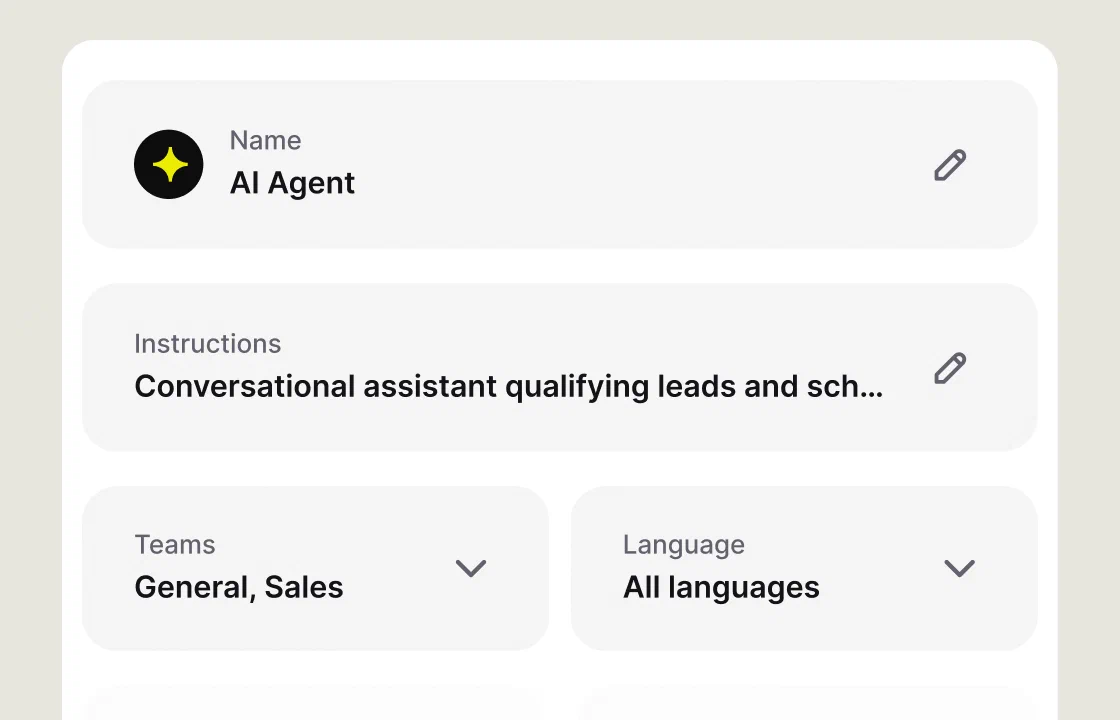
A chatbot talks to the visitor directly. LiveChat includes a simple built-in chatbot in every plan to handle routine questions and collect customer details after hours. ChatBot.com is an optional, separate product for additional automation. The built-in chatbot is distinct from Text’s autonomous AI Agent, which is available with Text plans.

Yes. Agents can handle multiple live chat conversations and reuse canned responses. Set a concurrent chat limit that leaves time for thoughtful replies. A short delivery question and a disputed charge take different amounts of attention. Increase the limit only when response times and customer feedback support it.

A shared inbox helps customer support teams collaborate. Use transfers and supervision when a colleague has the answer. Conversation history helps that person pick up where you left off. Starter retains 60 days of chat history; Team and higher plans have unlimited history. Chat summaries require Business or Enterprise.

Use chat routing for sales and support requests, with a fallback group for requests that do not match a rule. Review the plan requirements before designing separate queues. An owner can start without a dedicated support team by agreeing who covers chat and when. Automatic working hours require Business or Enterprise; agents can also change their availability manually.

Review data security and compliance requirements before adding a CRM or other third-party integrations. Check encryption, account permissions, and where information is stored. LiveChat documents these controls on its security page. Give each teammate their own account with the access needed for their role.

Ask what each integration can read or write. Collect only the information needed to assist customers, and direct payments to your checkout. Have the person responsible for privacy review your chat forms, retention needs, and consent setup. Keep email or a help desk for documents and issues that require investigation and follow-up.

LiveChat Starter costs $19/month for one user with annual billing, or $25 paid monthly. For two or more agents, Team starts at $49 per person/month with annual billing, or $59 paid monthly. Annual billing means paying for the year upfront; the monthly equivalent is not a monthly invoice.

USD base subscription costs, checked September 9, 2026. Taxes and optional services are excluded.
Team sizeAnnual billing: monthly equivalentAnnual paymentMonthly billing12 monthly payments
2 agents, Team2 × $49 = $98$98 × 12 = $1,1762 × $59 = $118$118 × 12 = $1,416
5 agents, Team5 × $49 = $245$245 × 12 = $2,9405 × $59 = $295$295 × 12 = $3,540

These examples assume the same number of paid users throughout the year. Budget for every agent, even when they cover different shifts. Check LiveChat pricing and plan limits for the current offer.

Separate the subscription from optional costs. The ChatBot.com integration connects another product to LiveChat, with its own subscription. Paid marketplace apps and SMS or WhatsApp provider charges can add to your costs. Ask for a total that includes your agents, expected automation usage, and required integrations.

LiveChat offers a 14-day free trial without a credit card. It does not have a forever-free plan. After the trial, choose a paid subscription to continue. Compare the features you used against your intended plan, since access differs between plans.

Add LiveChat through your CMS or store integration, or install a short code snippet. For a no-code live chat solution, use the WordPress or Shopify integration if that is where your website runs. Wix and Squarespace also have installation options. You need permission to install an app or edit the site; a custom checkout may need help from your developer.

For small business live chat setup, start with these steps:

  1. Start a LiveChat trial and invite the people who will answer.
  2. Connect your website using an integration or the installation guide.
  3. Set the widget’s greeting, language, and available customization options.
  4. Prepare saved replies and assign chat coverage and a backup.
  5. Test a visitor chat, a transfer, mobile notifications, and the offline experience.

On a phone, check that the chat widget does not cover checkout controls. Test where follow-up requests land when all agents are away. Once those steps work, turn on a proactive greeting for one relevant page. LiveChat’s support team is available around the clock if you need installation help.

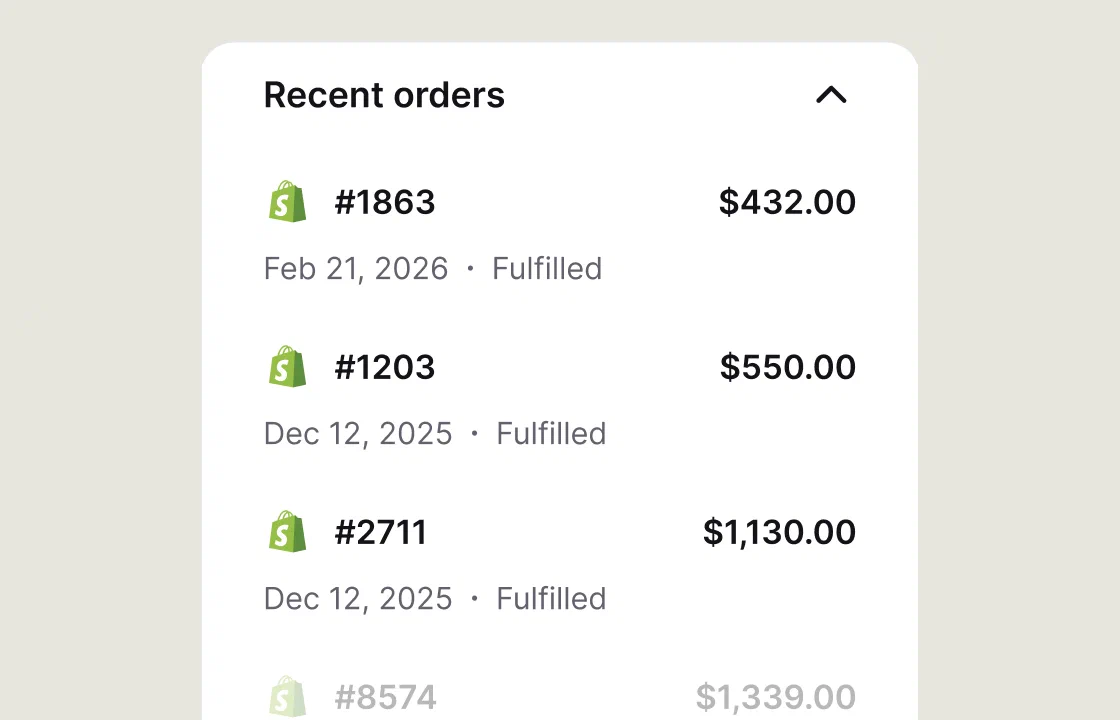
Yes. LiveChat has 200+ integrations, including CRM and ecommerce tools. Look for your specific system, such as Salesforce or HubSpot, and check what the connection sends. You might want a new lead in the CRM, a transcript attached to a customer, or a request sent to your help desk. A CRM connection gives agents context so existing customers do not have to repeat the basics.

Email and marketing automation integrations can support follow-up. Zapier workflows provide another way to connect apps without a custom integration. Third-party software may need its own subscription.

You can also connect Facebook Messenger and WhatsApp. The Twilio integration supports SMS and WhatsApp connections; Messenger uses a separate integration. Check provider charges and channel rules. An omnichannel approach helps agents manage customer communication with less switching between apps.

Measure first response time, unanswered chat sessions, chat ratings, and customer feedback. Real-time messaging needs someone available to respond; only promise instant support during hours you can staff. Read the conversations behind low ratings. If customers wait longer during busy periods, adjust coverage or reduce proactive chat invitations.

Visitor analytics show traffic sources and customer engagement. In LiveChat’s Traffic section, the referrer shows where a visitor came from, while page activity and greeting metrics help explain what they do next. Real-time visitor tracking gives agents context for targeted help. Proactive chat based on browsing behavior can address product or shipping concerns before a shopper abandons a cart.

For online stores, review completed purchases alongside refunds and time spent helping. Record sales questions that lead to an order or a qualified inquiry. Compare the cost per useful conversation, including staff time and paid extras. Advanced analytics should answer a specific business question.

A chat overview shows workload, but read a sample of live chat conversations too. If people keep asking the same delivery question, fix the page as well as the saved reply. This can improve customer support and customer satisfaction without adding more messages to the queue.

LiveChat’s mobile apps let agents respond away from a desk. Set your availability to the hours when you can answer, and test notifications before relying on them. Visitors can use the website chat widget on phones, tablets, and desktop computers.

For multi-language support, the LiveChat widget supports 48 languages. Set languages for different groups and website pages. This helps with multilingual support, but a translated widget does not make your staff fluent. Arrange agents or a suitable translation integration for the languages you promise to cover.

We're always here — 24/7/365. Get live support from Product Experts to help your business grow.