

The AI Agent answers from your catalog, your team joins with the cart in view, and sales reports show which chats become orders.
No credit card required 14-day free trial
Leading brands trust Text

Answer last-minute questions with the live cart in view, share a predefined discount code on request, and help shoppers finish a purchase they were about to abandon.
Answer last-minute questions with the live cart in view, share a predefined discount code on request, and help shoppers finish a purchase they were about to abandon.

Order status, cart contents, and customer details sit inside the chat panel, so your team answers from one screen instead of digging through the Shopify admin.
Order status, cart contents, and customer details sit inside the chat panel, so your team answers from one screen instead of digging through the Shopify admin.


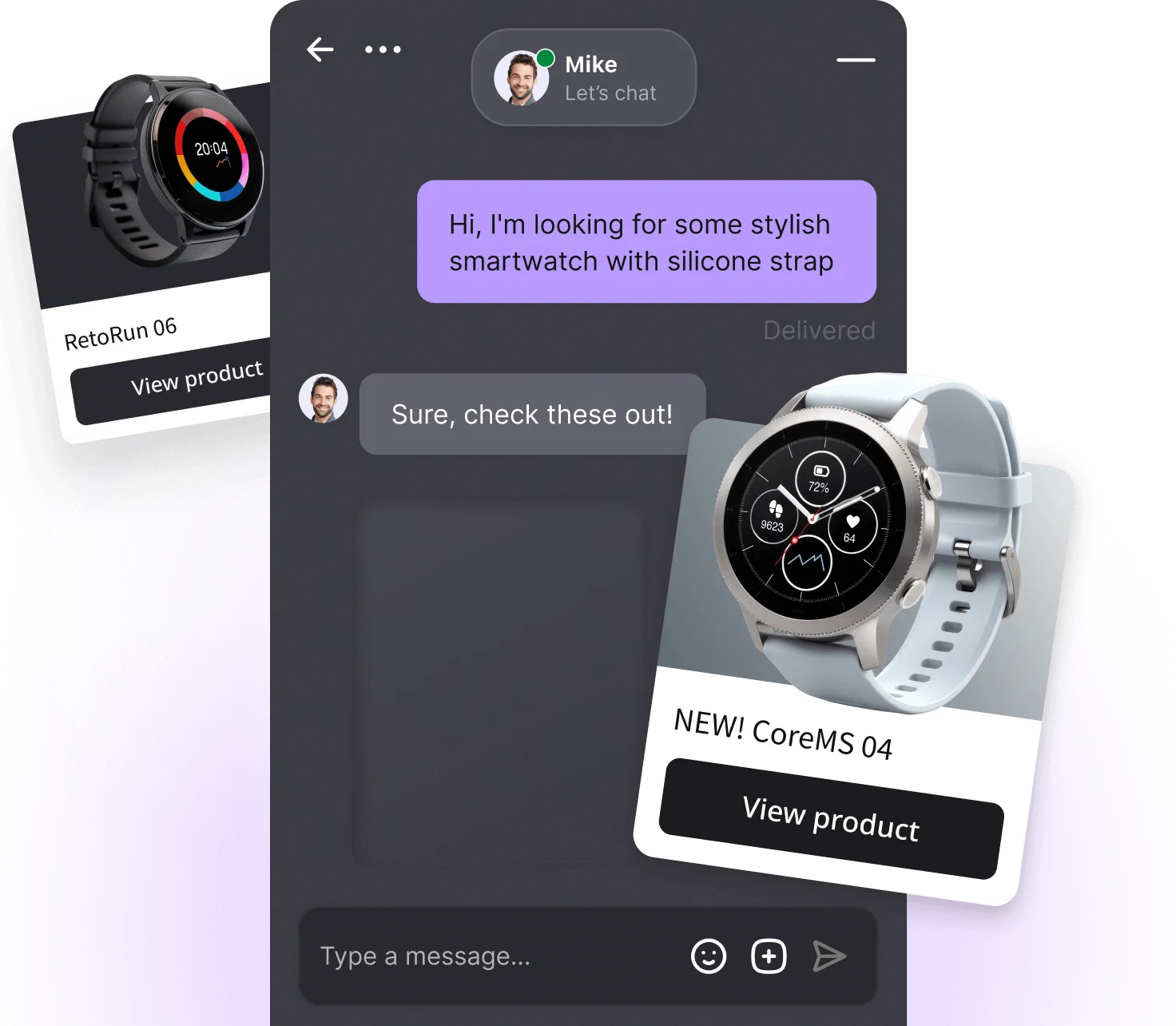
Recommendations draw on order history, browsing behavior, and your catalog to suggest the product or variant that actually answers what the shopper asked.
Recommendations draw on order history, browsing behavior, and your catalog to suggest the product or variant that actually answers what the shopper asked.


Website chats, Facebook Messenger, Instagram, and WhatsApp land in the same inbox, so nothing slips through while your team sells.
Website chats, Facebook Messenger, Instagram, and WhatsApp land in the same inbox, so nothing slips through while your team sells.

Shopify live chat is a chat widget on your online store: shoppers ask questions and get answers while they browse. AI live chat for Shopify adds an AI Agent to that widget. It can answer questions around the clock and brings in your support team when a conversation needs human judgment.
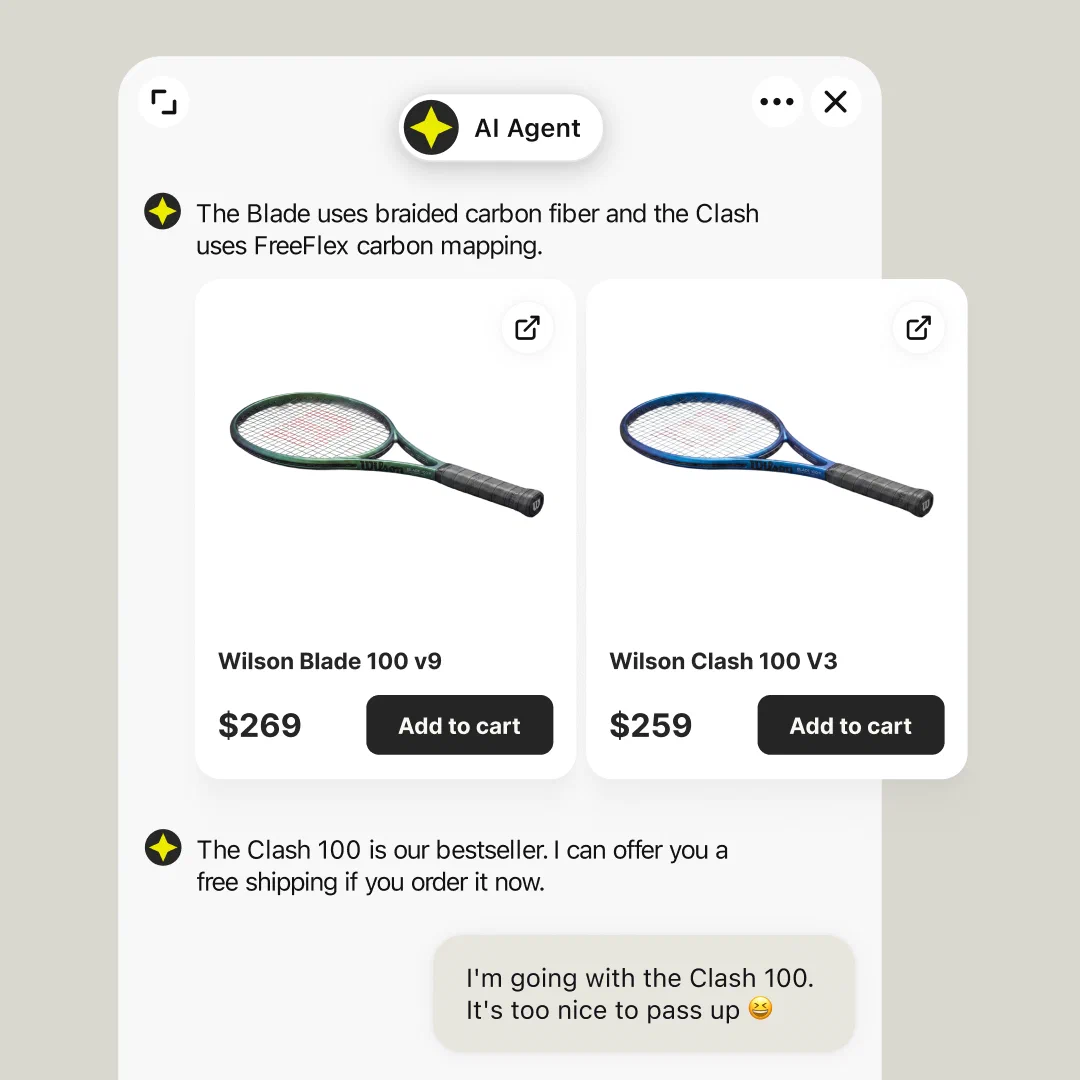
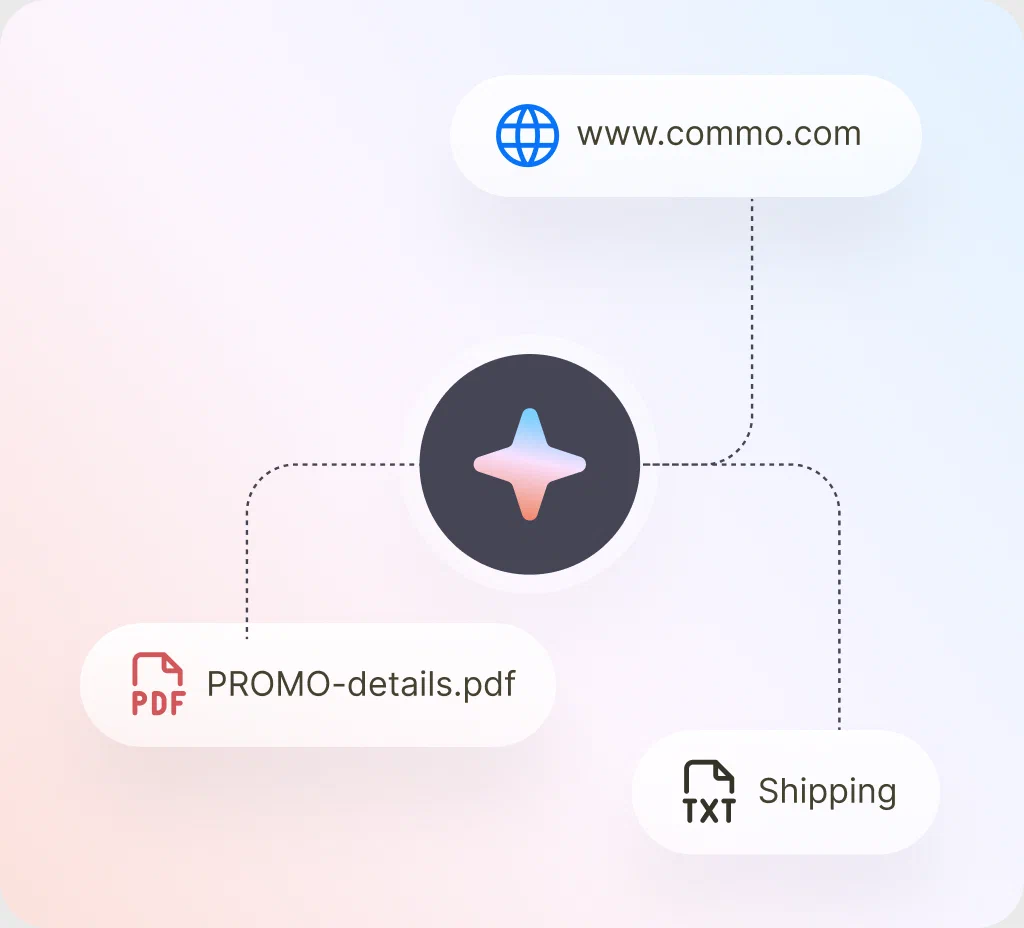
With LiveChat by Text, the live chat AI Agent answers from the knowledge you configure (website pages, files, and help articles) and from your Shopify catalog. Your team picks up the same conversation in the same inbox, so shoppers never repeat themselves and customer communication stays in one place. All of these live chat features run in your widget, on your store. That sets it apart from Shopify Sidekick and from external AI assistants that pull your products into their own surfaces.
A product question is a buying signal. The AI answers it, turns it into product recommendations, and lets the shopper act on them while the page is still open.
Asked about a discount? The AI Agent can share a predefined discount code on request. Conditional discounts, like ones tied to cart value, take a configured Custom Skill first, because the AI only shares offers you approved.
Shoppers expect instant help, and the Shopify integration surfaces buying signals: a shopper hesitating at checkout, or one coming back to a saved cart. This kind of opportunity detection is the practical way to reduce cart abandonment in your ecommerce store.
Engagement
Proactive campaigns greet first-time visitors with a welcome message and nudge shoppers who linger on product pages. Your sales team can also watch visitors in real time and open a chat manually when someone looks stuck. Help offered at the right moment can improve customer satisfaction and close the sale.
Get startedCart preview
Cart contents and their value update as the shopper browses, so agents know what an answer is worth before they type it.
Get startedProduct recommendation
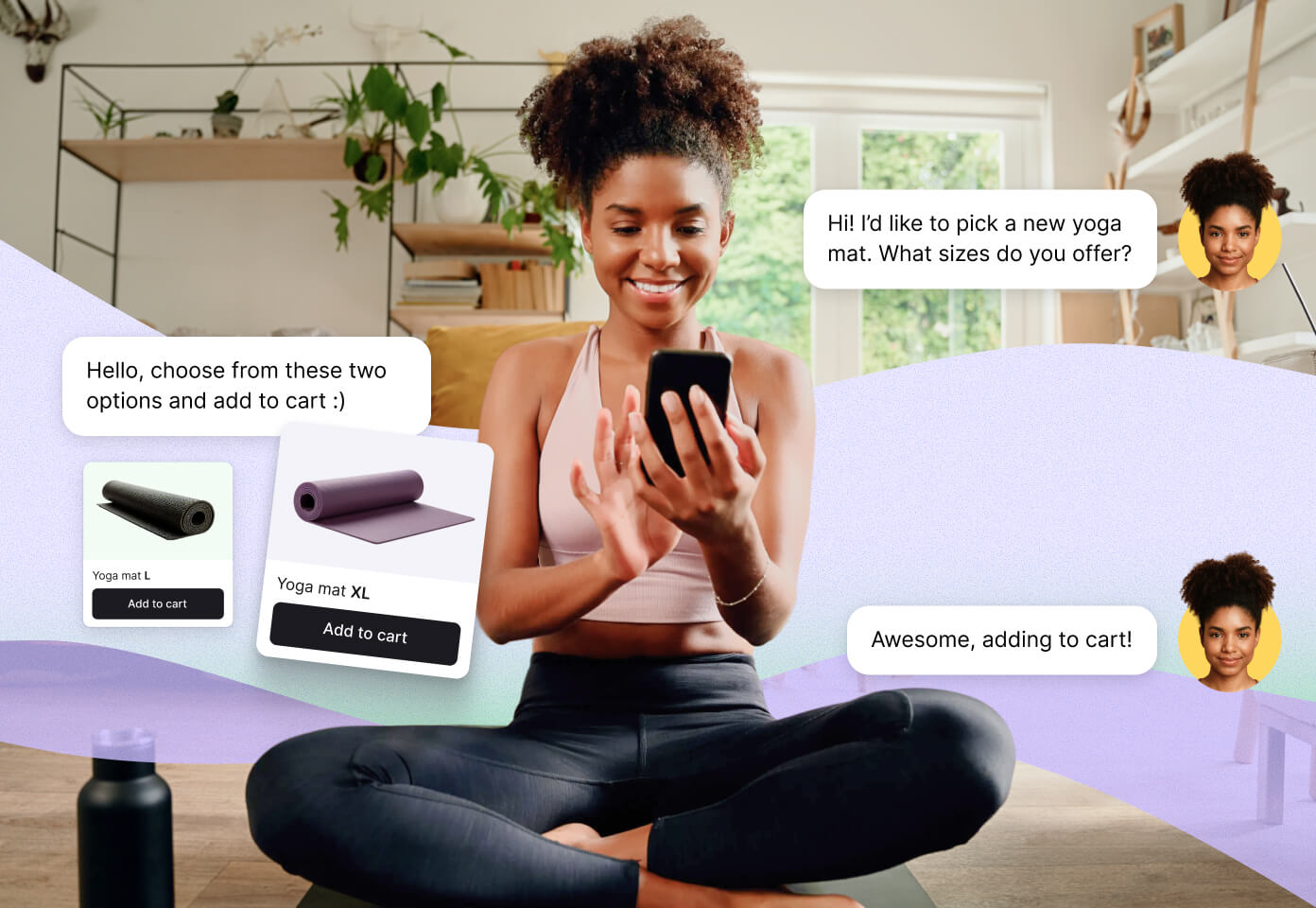
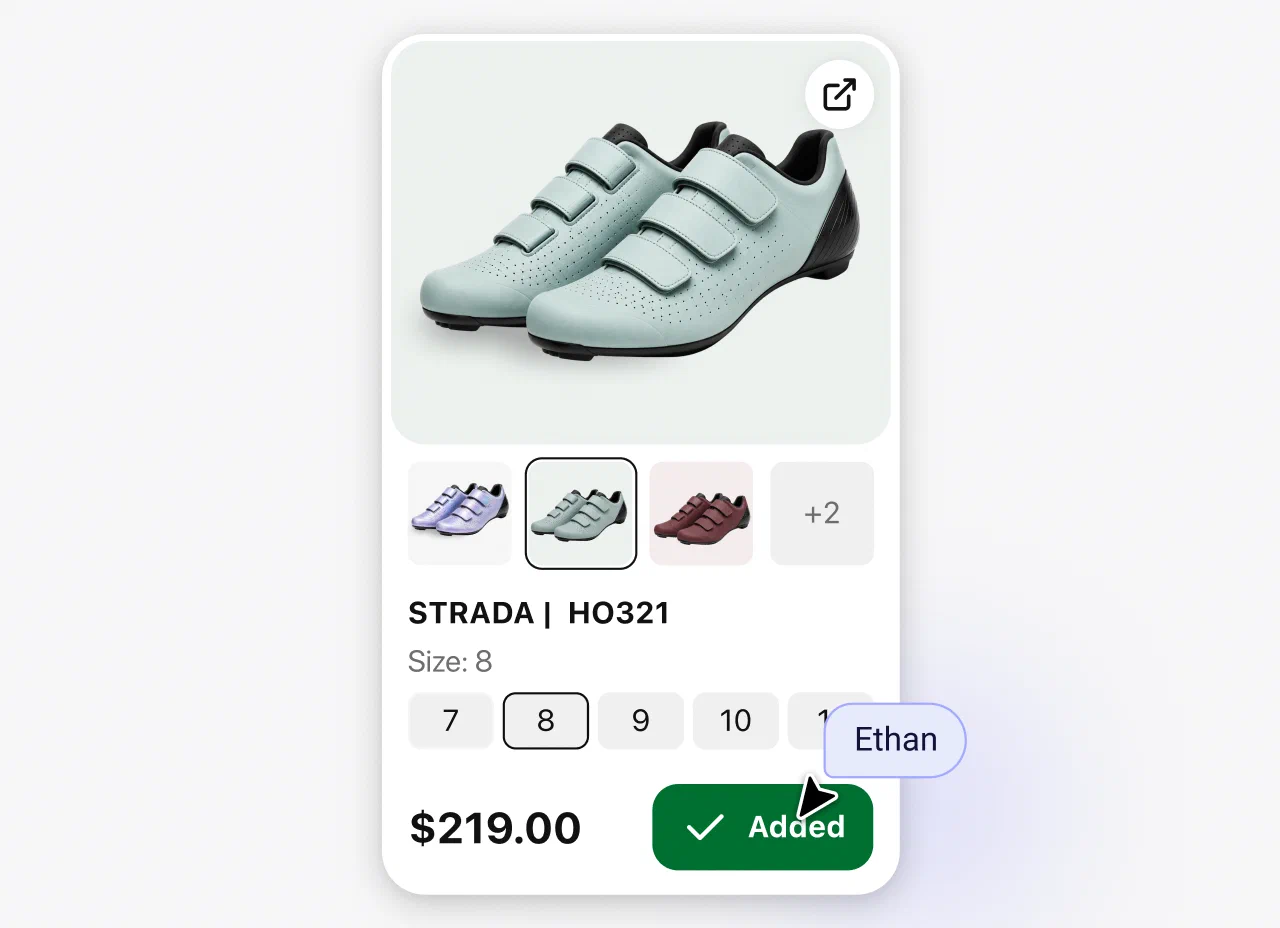
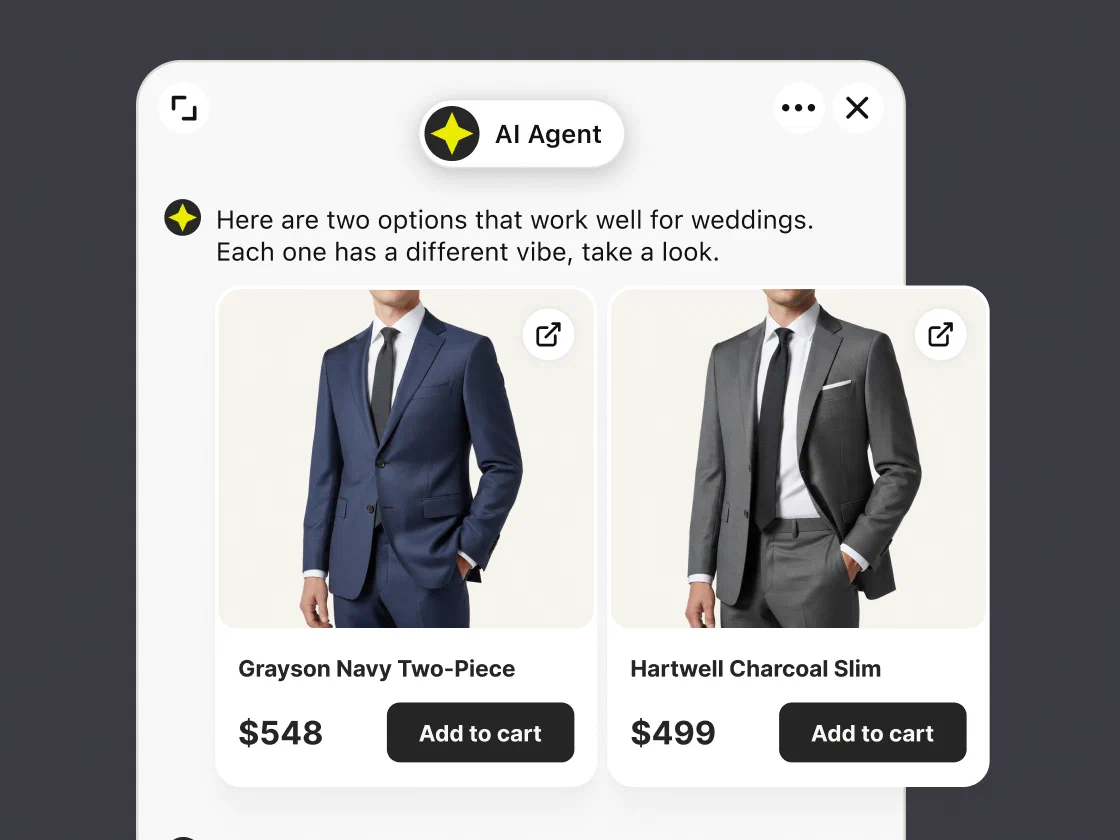
The AI searches your catalog and shows matching products as cards with images and prices. Shoppers pick a variant and put the item in their cart without leaving the chat.
Get startedSupport
Returns, shipping, and where-is-my-order questions get resolved with the customer's order details already on screen, so nobody asks the shopper to repeat an order number.
Get startedOrders preview
Agents see the customer's most recent order, with its status, products, and fulfillment, right next to the conversation. Order changes still happen in the Shopify admin.
Get started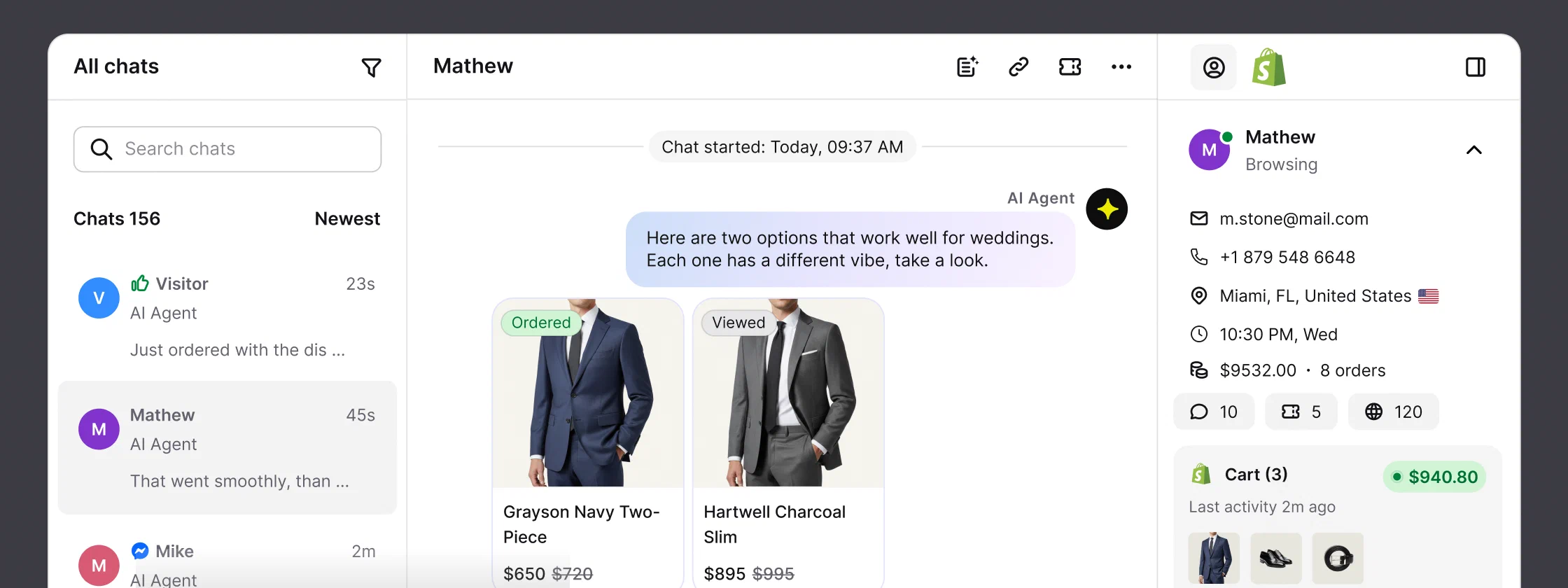
Cart details sit next to the conversation: the items in the live cart and what they are worth, updated as the shopper browses. The customer's last order is there too, with its status, products, and value, plus the page the shopper is looking at right now. With the store data already on screen, agents stop bouncing between the chat and the Shopify admin.
Context changes the answer. A shipping question from someone holding a full cart reads very differently from the same question asked cold, and a visible cart makes upselling natural. Chat transcripts double as customer insights into what shoppers want and what stops them.
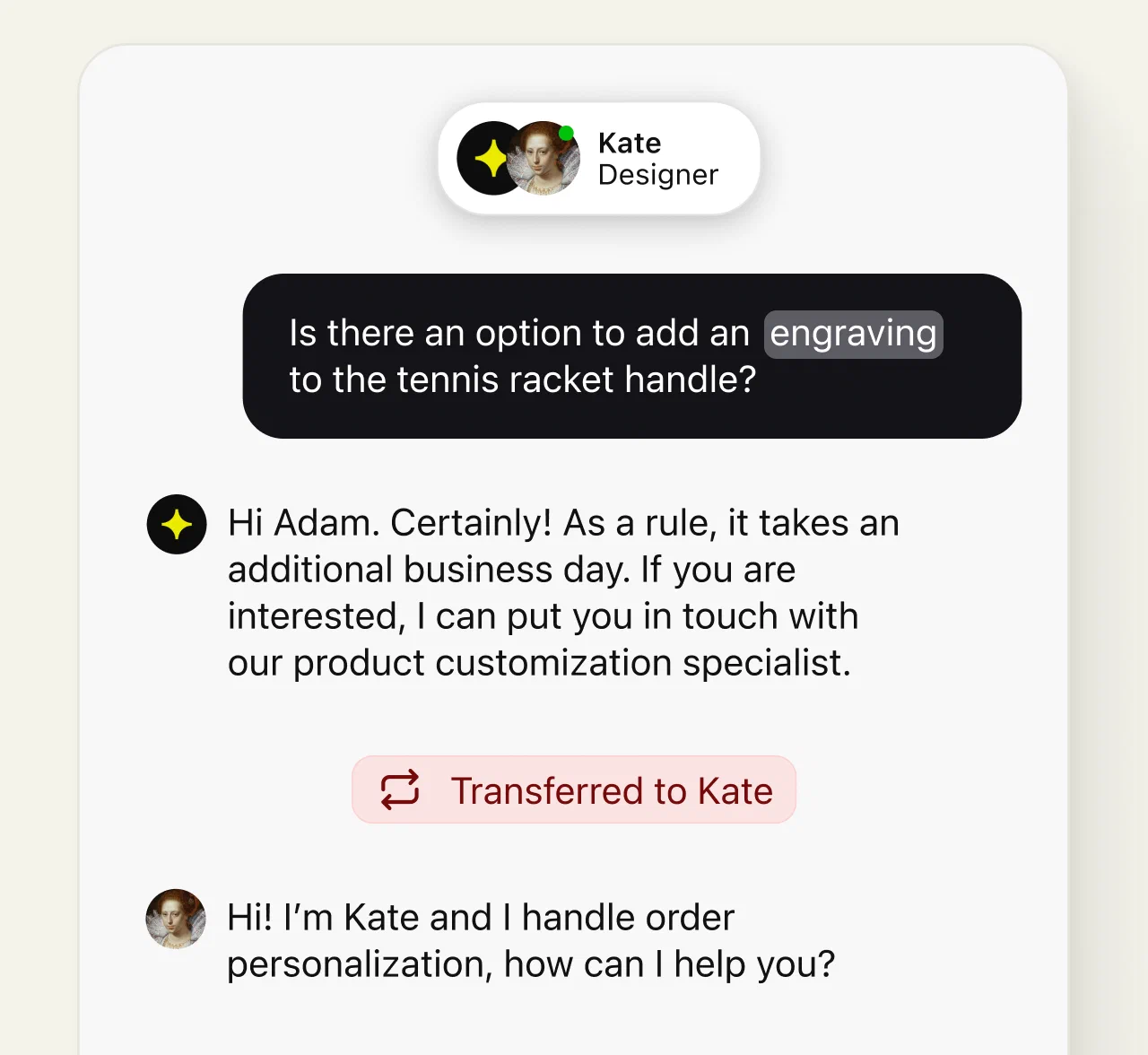
Human handoff means complex issues reach the right person with the transcript, cart, and customer profile attached. The transfer goes to the first available teammate or a team you pick. When nobody is online and the fallback is configured, the conversation becomes a ticket, and the question is waiting in the queue when your team is back.
Your Shopify plan decides where the Shopify chat widget can run. Here is each placement, so you can plan the customer experience across your Shopify store.
Connect your Shopify store, enable the widget in your theme, and chat runs across your online store. Customize the chat widget's appearance, from the window to the chat button and eye-catchers, to match your store's branding.
Keep live chat support available right after purchase, when order questions, reassurance, and post-purchase support matter most.
Shopify allows checkout customization, including the chat widget, only on Shopify Plus. Not on Plus? The storefront and post-purchase placements still cover the journey.

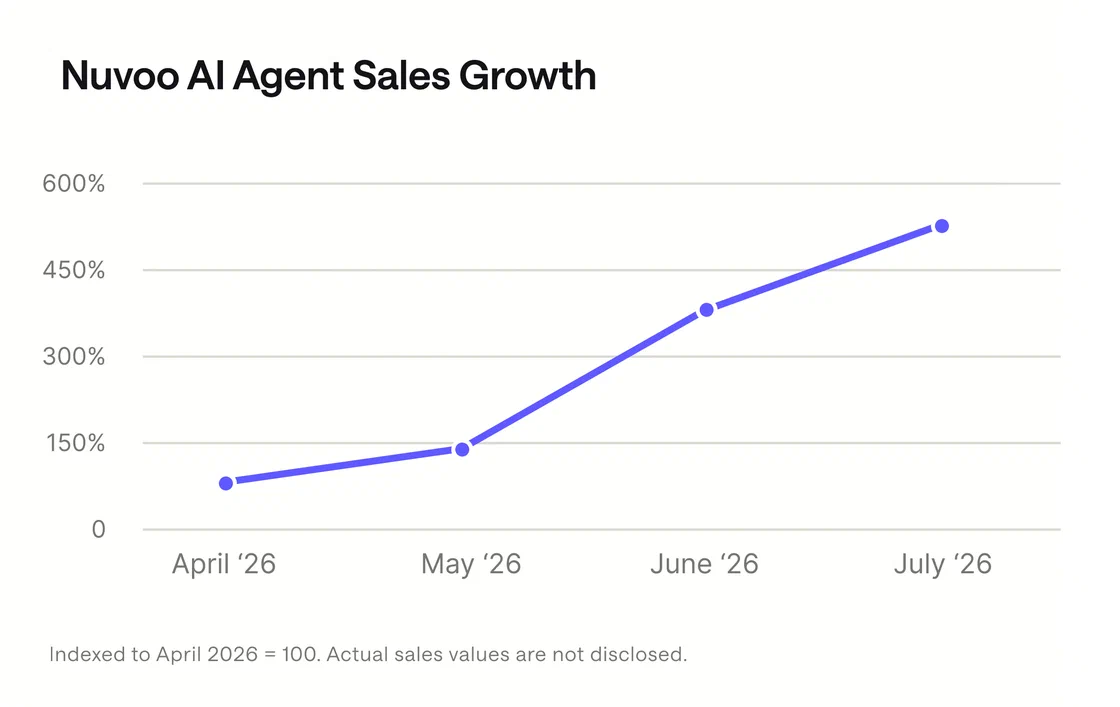
“About 70% of our sales made through chat are made with the help of an AI agent.”
Harri Hyvärinen, Customer Service Manager at Nuvoo
Nuvoo, a refurbished-computer retailer selling on Shopify, saw its resolution rate climb to a whopping 98%, while its chat turned into a 24/7 sales channel.
Higher visit-to-order rate
Up to 266%
Reported by Shopify merchants using Text's AI Agent, comparing shoppers who talk with those who only browse. Results vary.
AI resolution rate
74%
Conversations the AI Agent resolves on average across Text customers. The rest reach a person with context.
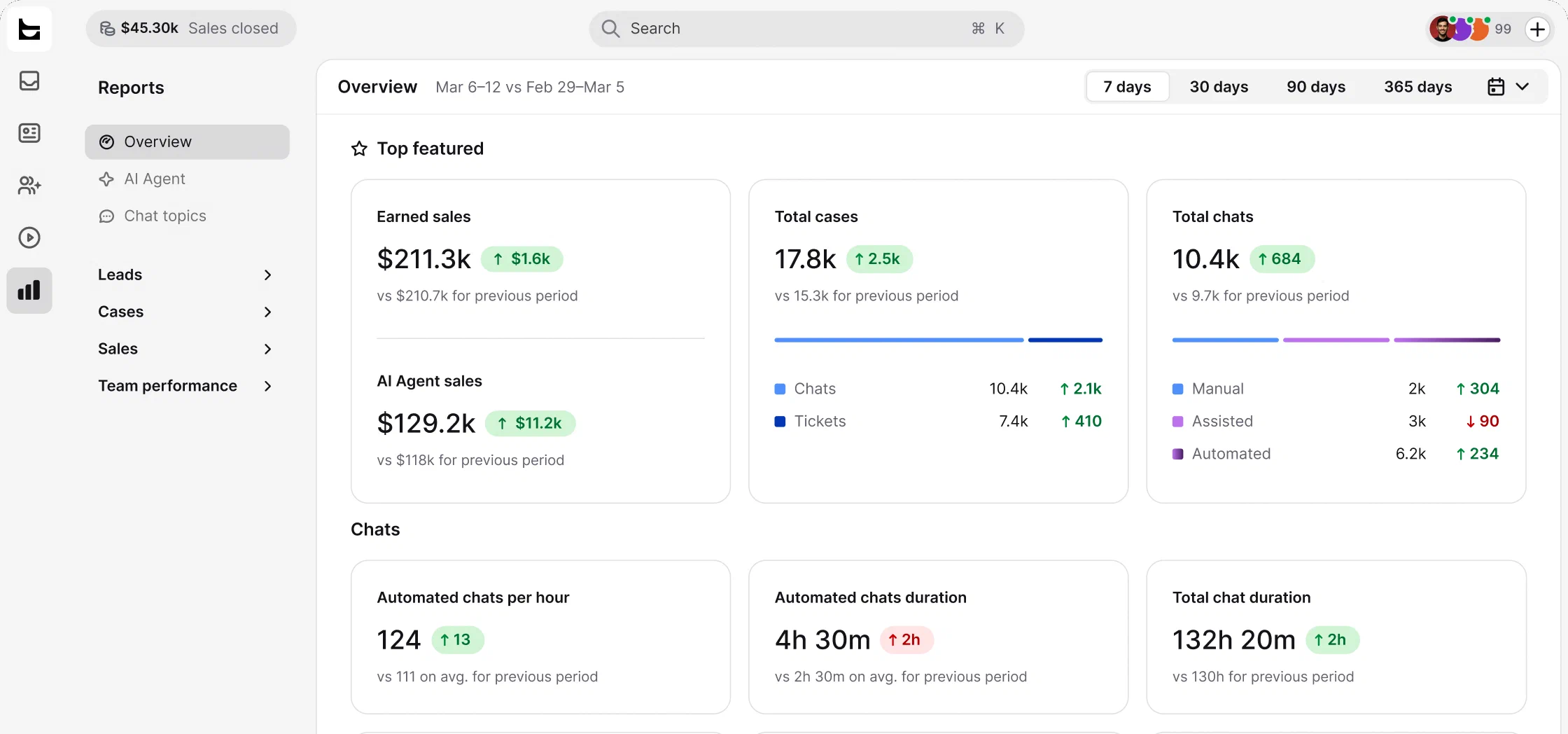
Sales attribution is one of the integration's unique features. The integration tracks Shopify sales from the moment a conversation starts, and order data syncs once a day.
Orders placed while the conversation was open, by AI or by a person.
Orders attributed to conversations, during the chat and for 30 days after.
The same 30-day window, narrowed to chats the AI handled alone.
The numbers can differ because Sold stops when the chat ends, while the reports follow the shopper for 30 days. You will find all three with the other sales and ecommerce features.
You do not need coding skills or an implementation project. Shopify merchants go from signup to a live widget in three steps, and the whole setup takes minutes.
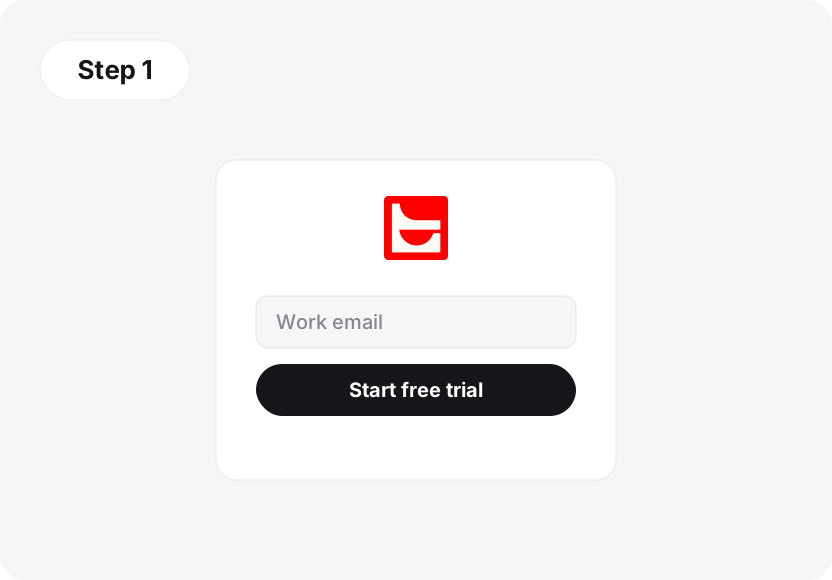
Create your Text account and start the 14-day free trial, then connect Shopify from the integration settings.
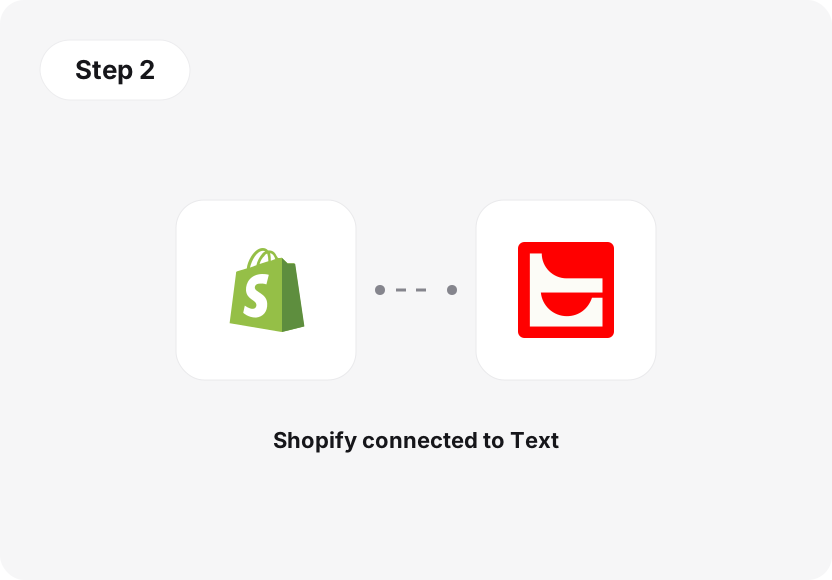
Approve the connection in the Shopify admin and add the chat widget to your Shopify store.
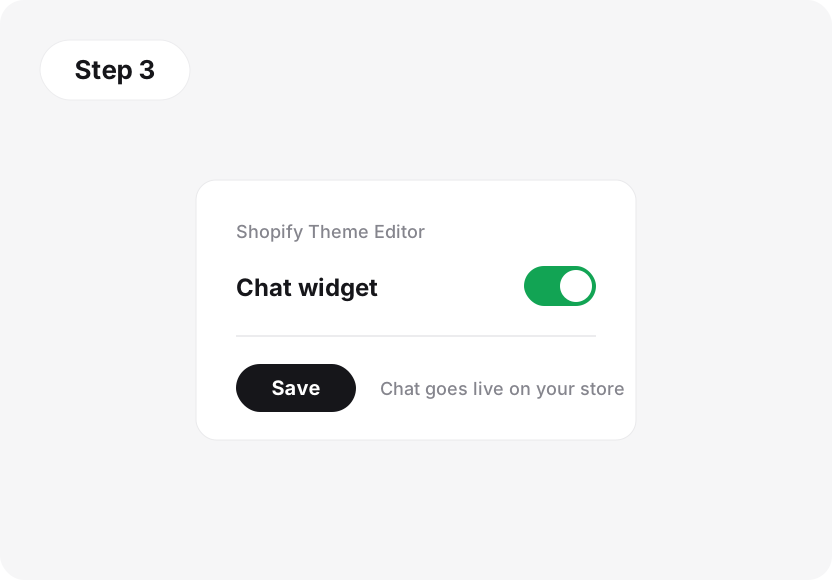
Enable the widget in the Shopify Theme Editor and save. That is the step people miss. Then start chatting from the browser, desktop, or mobile apps.
Prefer to start from Shopify? The LiveChat app is also listed in the Shopify App Store. Either way, the widget goes live once you enable it in the theme and save.


Bring in Facebook Messenger, WhatsApp Business, and more, and handle every conversation in the same inbox as your Shopify live chat. Email support arrives as tickets alongside chats, so your team answers faster and every message becomes a chance to help or sell.
Discover more appsShopify Inbox is Shopify's own free live chat tool, and its key features cover the basics well. For a store that needs basic chat support, it is a reasonable starting point. LiveChat by Text is built for customer service for ecommerce as a whole, with many features Shopify Inbox does not aim to match.
| Capability | Shopify Inbox | LiveChat by Text |
|---|---|---|
| Built as | Shopify's free messaging tool | A full customer service platform |
| Pricing | Free | Per agent per month, with a 14-day free trial |
| AI in the chat | Suggested replies and instant answers for common questions | An AI Agent that answers from your knowledge and hands off to your team |
| Selling from chat | Product and discount sharing in the conversation | The AI sells from your live catalog, and shoppers put items in the cart mid-chat |
| Channels | Chat on your storefront | Website, Messenger, Instagram, and WhatsApp in one inbox, with email arriving as tickets |
| Connecting chats to orders | Not what it aims for | Sold view plus 30-day attribution reports |
| Advanced features | Storefront basics | Checkout placement on Shopify Plus and post-purchase pages |
In short, Shopify Inbox covers storefront basics for free, while LiveChat by Text adds an AI Agent that sells, one inbox for every channel, and reports that connect chats to orders.
Weighing more options, or selling on other ecommerce platforms too? You can also compare Shopify live chat apps side by side.
Shopify live chat is a chat widget on your Shopify store. Live chat lets shoppers ask questions and get real-time support without leaving the page. With LiveChat by Text, the widget is live chat support with AI built in: an AI Agent answers from your knowledge and catalog, and your team joins the same conversation when it needs a person. The widget runs across your online store on every plan.
Yes. Text's AI Agent works inside Shopify live chat from day one. It works around the clock, well past store hours: it answers from the knowledge you configure, searches your catalog to recommend products, and shares a predefined discount code when a shopper asks for one. Across Text customers it resolves 74% of conversations on average, and it can hold any number of chats at the same time, which cuts ticket volume. You decide when it hands conversations to your support team.
Yes. When the AI Agent recommends products, they appear as cards with images and prices. On Shopify, shoppers can pick an available variant, such as a size or color, and add the product to their cart without leaving the chat conversation. Shoppers skip the trip back to the catalog, which is usually where they drop off.
Yes. The AI Agent transfers the conversation to the right person: the first available teammate or a team you choose, with the full history attached. When nobody is available and the fallback is configured, it creates a ticket instead, so the question is waiting in the queue when your support team is back.
Shopify Inbox is Shopify's own free messaging tool, with suggested replies, instant answers, and product and discount sharing in chat. LiveChat by Text is a full customer service platform: the AI Agent sells from your live catalog, your team joins with store context, Facebook Messenger, WhatsApp chat, and SMS land in one inbox, and email support arrives as tickets alongside them, so a new support channel does not mean a new tool. Sales reports then connect conversations to orders.
Because LiveChat is made by Text, and everything on this page runs on the Text platform: the widget, the AI Agent, and the sales reports. One Text account covers all of it, plus ticketing and other channels when you need them, so there is no second product to sign up for. Shoppers only ever see the widget on your storefront, not the account behind it.
Shopify live chat from LiveChat by Text runs on the Text platform, priced per agent per month, and you can check current plans on the pricing page. Every plan starts with a 14-day free trial, no credit card required, so you can connect the store and see the results before paying anything.
The fastest way to add live chat with AI included: create a Text account, connect your Shopify account from the integration settings, approve the connection, and enable the chat widget in the Shopify Theme Editor. Once you save the theme, chat is live on your storefront. Point the AI Agent at your website, files, or help articles so it can start answering real product questions.
It answers from the sources you give it: your website and product pages, uploaded files, and help articles, plus your Shopify catalog. It can answer FAQs about shipping, returns, and store policies, handle sizing and availability, and field product questions. It does not know things you have not shared with it, and you can preview and adjust its answers at any time.
Store data appears next to the chat. Agents see the shopper's live cart (the items and their value) plus order details from the customer's most recent purchase, including status, products, and fulfillment. Customer insights such as the current page round out the picture, so Shopify customers never have to repeat an order number.
The storefront widget works on every Shopify plan once you connect the store and enable the widget in your theme, and the same goes for the post-purchase placement on standard plans. Checkout is the exception: Shopify only allows the chat widget there on Shopify Plus.
Yes. Signing up starts a 14-day free trial of Text, no credit card required. You can connect your online store during the trial, put the chat widget on your storefront, train the AI Agent on your content, and watch the sales reports fill in from the browser or the mobile apps. Small businesses and large teams start the same way.
Live chat connects shoppers with people in real time. A chatbot follows scripted flows: buttons, menus, and fixed answers. An AI Agent generates answers from your actual content and catalog, acts inside the conversation, and knows when to bring in a person. LiveChat by Text pairs the widget with AI up front and your team behind it.
Not from the conversation panel by default. Agents see the live cart and the customer's most recent order next to the chat, and order changes happen in the Shopify admin. Configured automations can run supported Shopify order actions for you, but the AI Agent does not process refunds, cancellations, or returns on its own.
Catalog answers, in-chat carts, one handoff, and orders you can attribute. One Shopify live chat app covers support and sales.
No credit card required 14-day free trial